01
Sales & invoicing
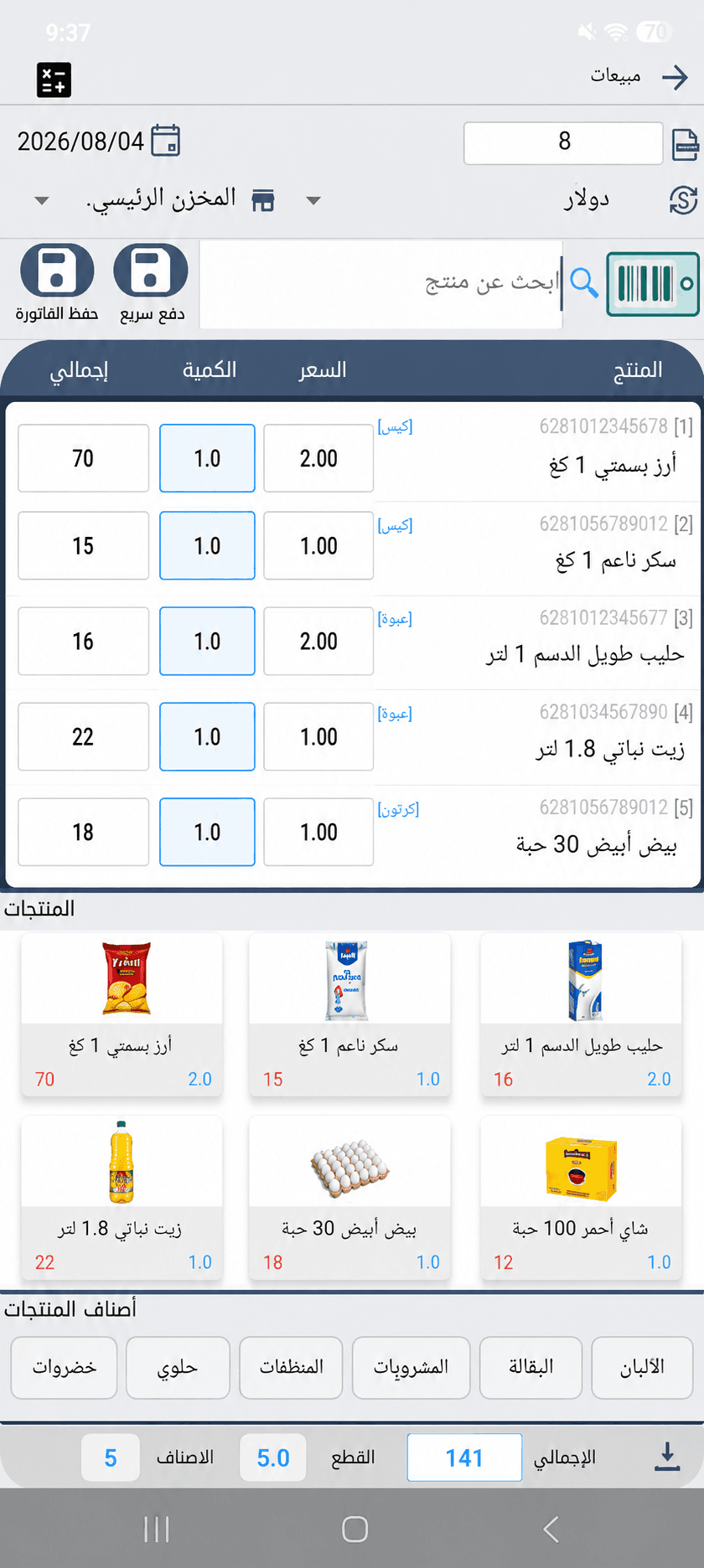
Create sales invoices and manage products, customers, and payment methods in a clear workflow.
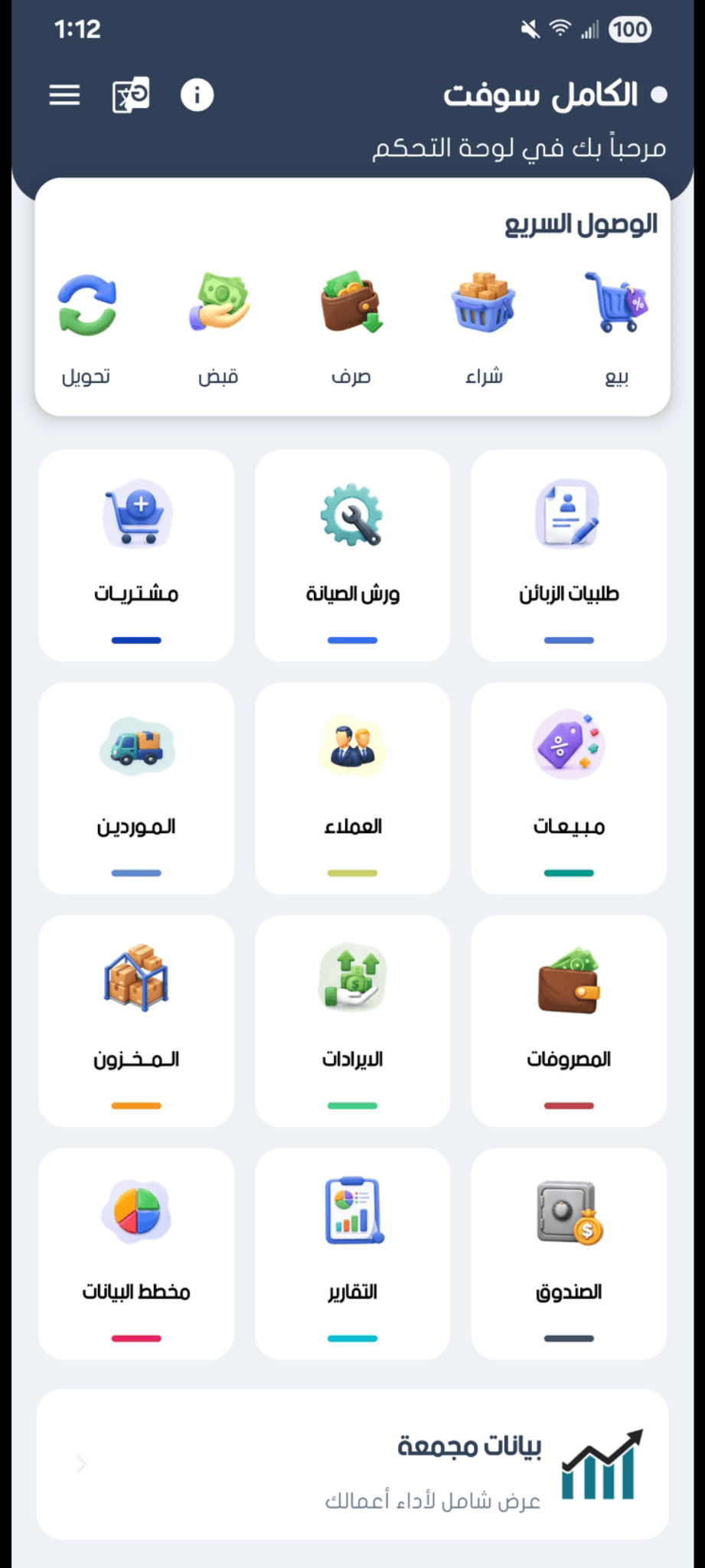
Bring sales, inventory, financial accounts, reports, and printing together in one connected experience for clearer day-to-day management.
Explore some of the core capabilities in AlKamel Soft, then visit the Features page for a complete overview.
Create sales invoices and manage products, customers, and payment methods in a clear workflow.
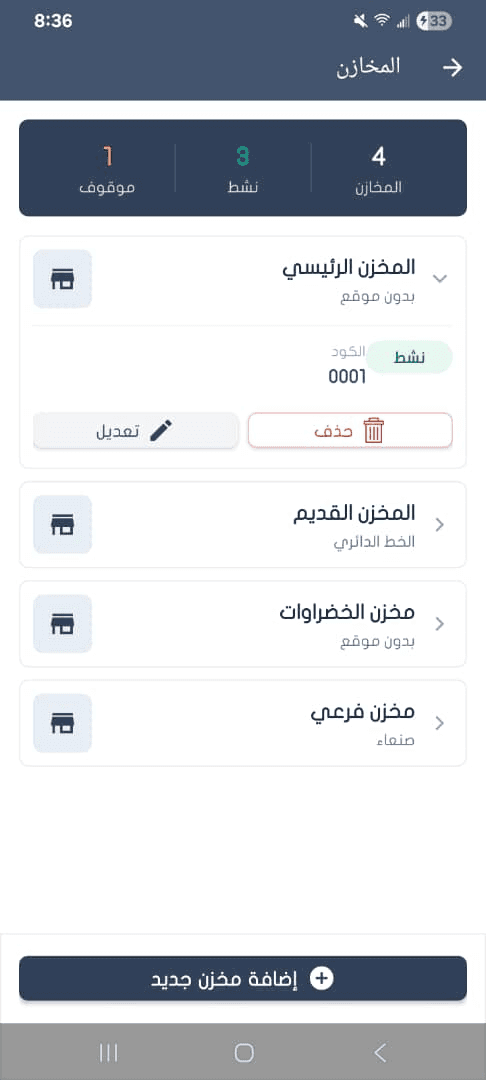
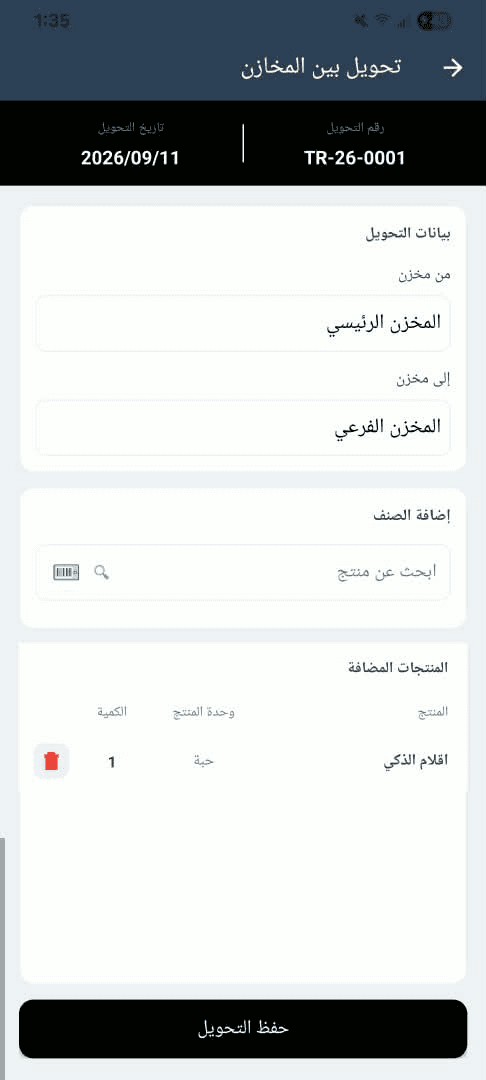
Manage multiple warehouses, track stock, and transfer items between locations.
Count physical inventory and resolve quantity differences with structured inventory adjustments.
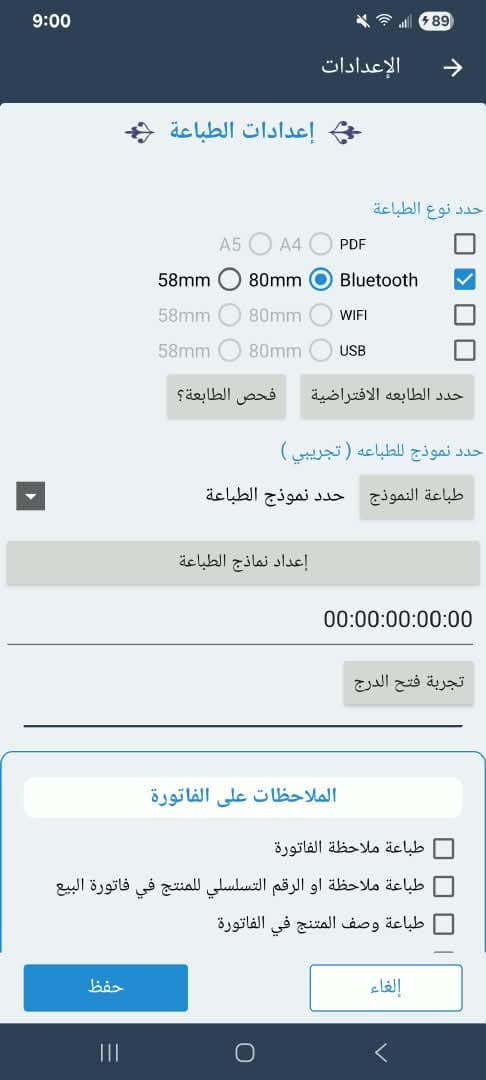
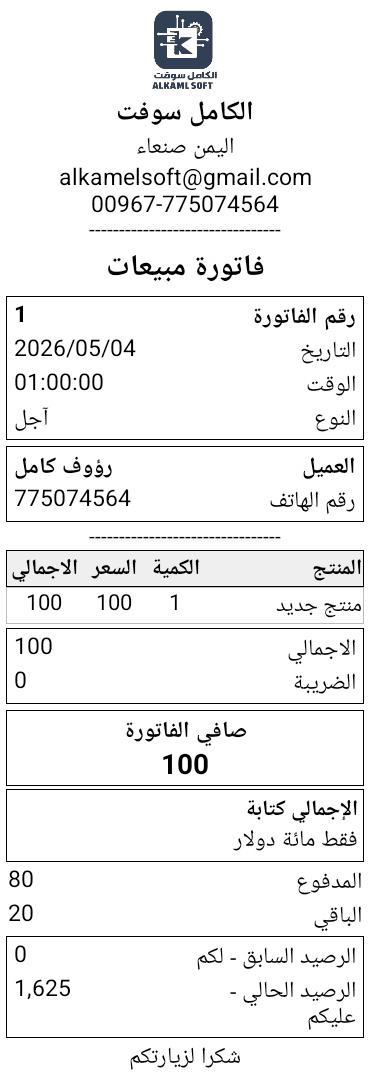
Thermal printing with multiple templates, plus PDF, image, and direct-print options.
Track financial accounts, balances, movements, and transfers between accounts.
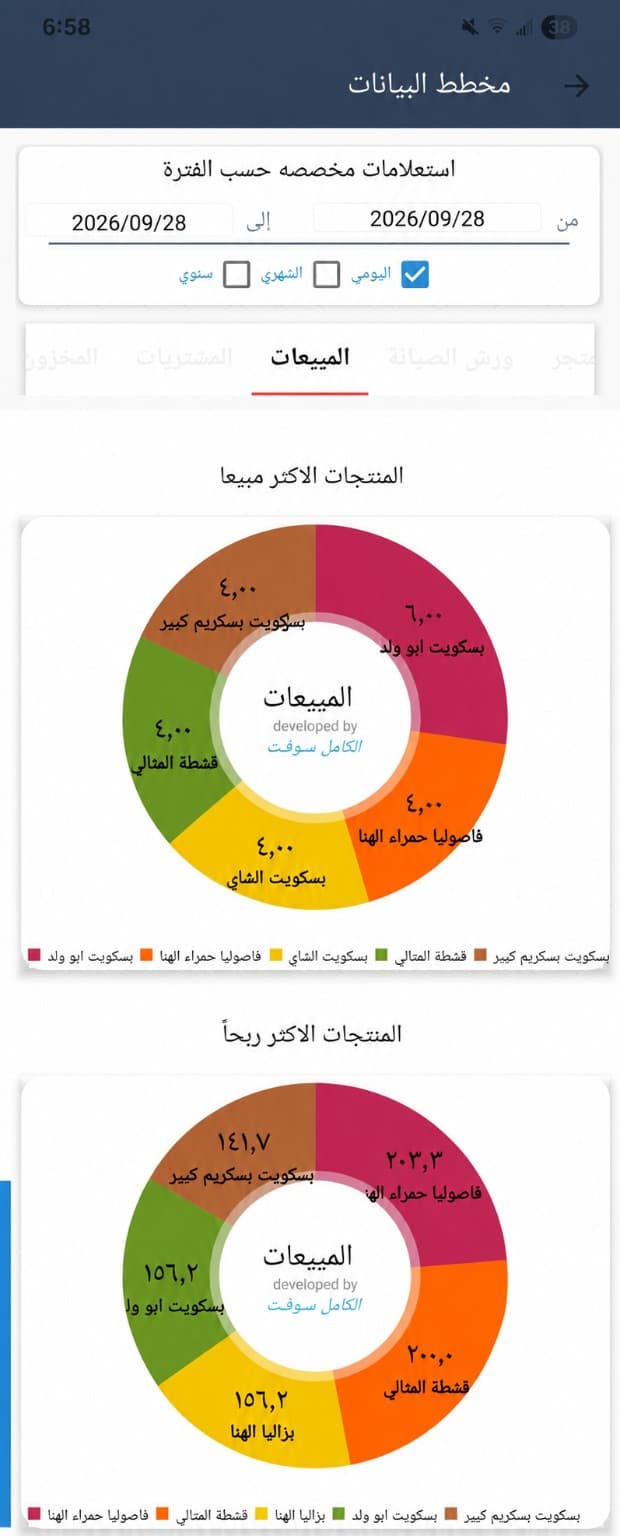
Review sales, purchases, inventory, customers, financial accounts, and business charts.
Create sales invoices, choose the customer and warehouse, add products by search or barcode, and review totals from the same screen.
Create multiple warehouses, track inventory by location, and transfer items between warehouses through an organized workflow.
Choose the right template for invoices and vouchers, print on a thermal printer, or create a PDF or image to share.
Review sales, purchases, inventory, customer, and financial reports, and use charts to understand activity faster.
AlKamel Soft helps different types of businesses organize daily operations through a clear, connected workflow.
Faster selling with clearer inventory and financial tracking.
Organize sales, purchases, customers, and suppliers.
Manage multiple warehouses, transfers, stock counts, and adjustments.
Connected workflows, permissions, and reports.
Invoices, barcodes, and printing in a practical sales workflow.
Manage devices, spare parts, delivery, and documents.
Connected workflows make daily oversight easier and reduce the need to switch between separate tools.
Bring core operations together in clear workflows instead of scattered tools.
Keep organized records of invoices, inventory, financial accounts, and related movements.
Multiple templates and output options for different document types and workflows.
Reports and charts help you understand business activity and key data faster.
Download the app or contact us to find the setup that fits your business.
Answers to common questions about core features and support. Visit the FAQ page for more.
View all questionsThe app covers sales, purchases, inventory, customers, suppliers, financial accounts, reports, printing, and additional tools for day-to-day operations.
Yes. You can create and manage multiple warehouses, track stock per warehouse, and transfer items between them.
Yes. It supports thermal printing with multiple templates, plus PDF, image, and direct-print options.
You can submit a request through the Support page or use the available official contact channels.